
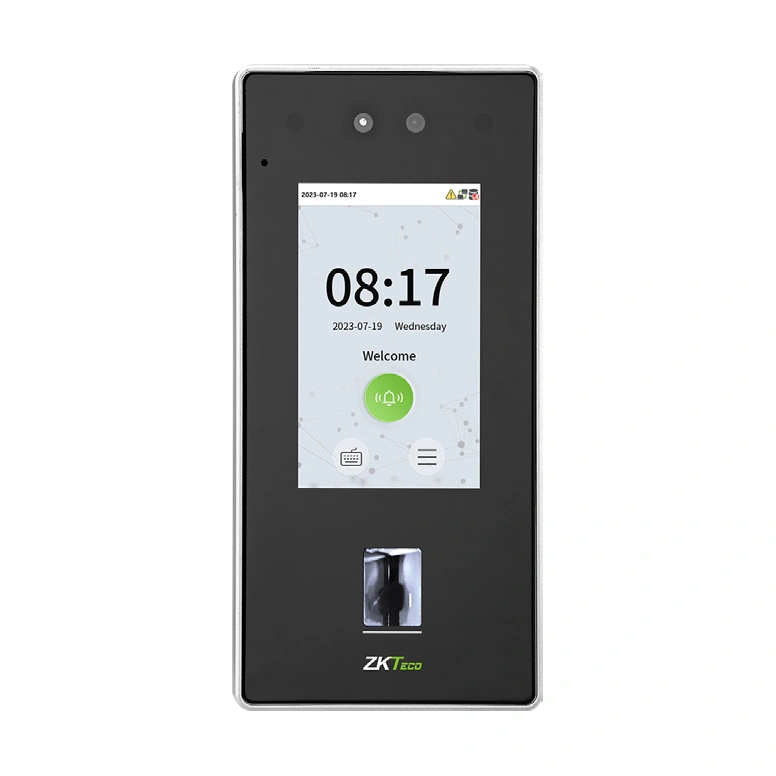
ZKTeco SpeedFace-V4L Pro — Supplier Configuration Without Palm
ZKTeco SpeedFace-V4L Pro supplier configuration without palm. Review face and in-glass fingerprint functions, optional modules and hardware-revision evidence.
Price on request
Contact us for current availability and lead time.
Request pricing, availability and the right configuration for your project.
Overview
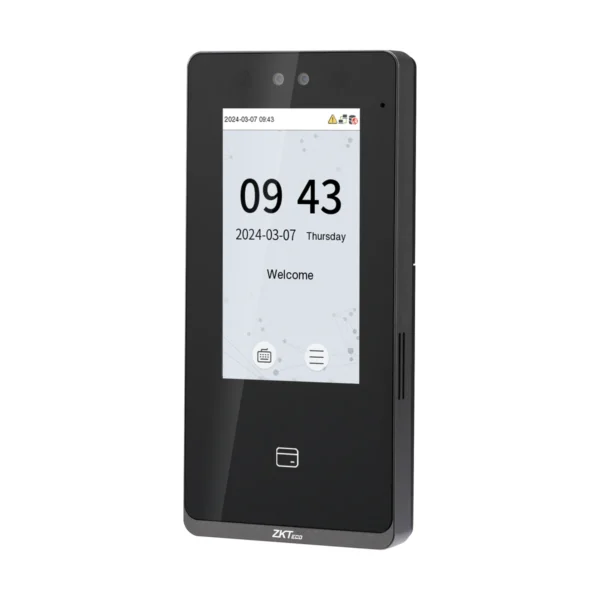
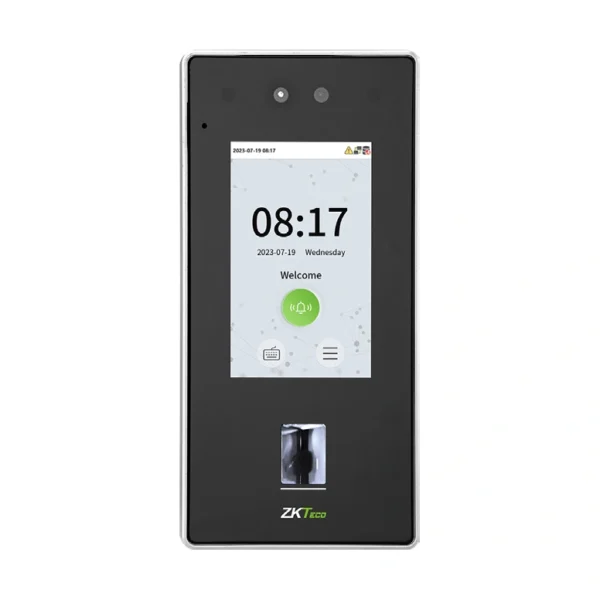
This supplier configuration of the ZKTeco SpeedFace-V4L Pro is explicitly listed without palm recognition. Its documented role combines face and fingerprint access verification with card options and a touchscreen password interface. The base Pro uses an in-glass fingerprint sensor; it should not be confused with the Pro-QR code-reader model or the Pro-RFID version that omits fingerprint hardware.
The supplier lists 6,000 faces,6,000 fingerprints and 200,000 transactions, matching the current manufacturer’s base-model capacities. Its6,000-card profile has a separate10,000-record option, while the actual card module remains a configuration choice. A four-inch colour touchscreen and two-megapixel binocular camera provide the interaction and facial capture. The manufacturer lists ZKFace V3.6 and ZKFinger V13.0/V10.0 for the base model’s biometric methods.
TCP/IP, Wiegand input/output and ZKTeco RS485 support the applicable network or reader arrangement, with USB Type-A reserved for a USB drive. The lock, door-sensor, exit-button and alarm interfaces connect separately specified door equipment. This record names 512 MB RAM and 8 GB ROM, but the newer manufacturer datasheet lists 1 GB RAM for the series. Preserve the supplier’s stated configuration while obtaining the matching hardware revision. The documented on-premise and cloud software modes also require the applicable firmware and entitlement. Optional door-phone or expansion functions should be specified by their supported configuration rather than treated as included equipment or unqualified free services.
Applications & Use Cases
- Event-image review: Photo capture, event-photo capture and record query are documented standard functions. They can associate configured access activity with an image for review; the image record is distinct from the credential-matching decision and does not itself prove passage through the door.
Product FAQs
Which indoor monitors and intercom protocols are documented?
The manufacturer restricts the intercom table to ZAM230. It names VT07-B01/B01-W for the private TCP/IP arrangement and VT07-B22L/B26L-W for standard SIP, with the applicable CVAccess/BioTalk Pro and mobile-app arrangement. Intercom is optional; match platform, firmware, monitor and enabled function.
Does the listed wireless interface establish standard Wi-Fi or a cellular modem?
Wi-Fi is optional. The named radio bands are 2.4 GHz and 5 GHz; the source’s 5G GHz wording describes the Wi-Fi entry, not a cellular 5G modem. Confirm the fitted radio before planning an installation dependent on wireless connectivity.
Which optional card modules are actually listed by the manufacturer?
The exact datasheet lists 13.56MHz IC and a module combining ID, IC, DESFire EV1/EV2 and FeliCa, plus a separate HID Prox option. The base Pro and Pro-QR card modules are optional. That list does not establish the supplier’s broader M356i/HID iCLASS claim for every unit.
What presentation distance should be planned for biometric verification?
Facial presentation is 30–170cm, with a published facial verification time below 0.35 seconds. This supplier configuration explicitly excludes palm recognition, so the family’s optional palm range should not be assigned to it.
Are the user-ID and password digit limits the same?
No. The manufacturer lists 14-digit personnel identifiers and a maximum eight-digit user password. They serve different functions. Preserve the applicable identifier mapping when integrating with a host, rather than treating the password-length limit as the personnel-ID length.
Specifications
| Configuration | Without palm recognition; 512 MB RAM / 8 GB ROM |
|---|---|
| Display | 4" Color Touch Screen |
| Model | SpeedFace-V4L Pro |
| Transaction Capacity | 200, 000 |
| Manufacturer | ZKTeco |
| Communication | TCP/IP; optional 2.4/5 GHz Wi-Fi; Wiegand input/output; ZKTeco RS485; USB Type-A for USB drive only. Aux input, lock, door sensor, exit button, alarm output and wired-doorbell connections. |
| Standard functions | ADMS, DST, 14-digit User ID, T9 Input, Photo Capture, Event Photo Capture, Record Query, Tamper Switch Alarm, Automatic Status Switch, Multiple Verification Methods, Anti-Passback, Wired Doorbell, Schedule Bell, HTTPs / SSH Backend Access, AC Push and TA Push Protocol Switch |
| Optional functions | Manufacturer options: Wi-Fi, work code, video intercom, wireless doorbell and DM10; optional card modules as specified. No unverified free-service/inclusion promise or broader M356i/HID iCLASS support assumed. |
| Face Capacity | 6,000 |
| Fingerprint Capacity | 6,000(ZKFingerprint V13.0 / V10.0 (Switchable in the menu) |
| Card Capacity (Optional) | 6,000 (Optional:10,000 ) |
| Memory | Supplier lists 512 MB RAM/8 GB ROM. Current global page lists 512 MB RAM; Jan 2026 V1.5 datasheet lists 1 GB. Exact supplied hardware revision unresolved. |
| AC Adapter | 12V DC, 3A (Optional ) |
| Access Control Interface | Electric lock, door sensor, exit button, alarm, aux input, wired doorbell; Wiegand input/output and ZKTeco RS485. DM10 optional; exact supported hardware/firmware arrangement required. |
| Compatibility | Manufacturer profile: CVAccess with AC PUSH, ZKBio Time with TA PUSH, ZKBio Zlink cloud web/mobile arrangement. Match firmware/protocol and software entitlement; no fingerprint algorithm appended to software compatibility. |
| Algorithms | ZKFace V3.6 & ZKFingerprint V13.0 / V10.0 (Switchable in the menu) |
| Palm recognition | Not included |
Downloads
Manufacturer documents and Royal Link product sheets. Check the publisher and configuration notes for each file. PDFs open in a new tab.
| Document | Type | Size | Updated / version | Action |
|---|---|---|---|---|
| PDFZK SpeedFace-V4L Pro Series User Manual 20251107ZKTecoManufacturer family reference; supplied configuration may vary. | User manual | 12.51 MB | — | Download ↗ |
| PDFZK SpeedFace-V4L Pro Series Installation Guide 20251107ZKTecoManufacturer family reference; supplied configuration may vary. | Installation guide | 1.28 MB | — | Download ↗ |
| PDFSpeedFace-V4L Pro — earlier supplier sheet; hardware/options and inclusion claims require matchingRoyal Link Technologies LtdSupplier catalogue specifications | Product sheet | 160 KB | 2026-10-30 | Download ↗ |
Manufacturer references
Customer reviews
Your experience helps others choose the right solution.
You may also like
Explore more from this product range.
Reviews
No reviews yet
Be the first to share your experience with this product.