
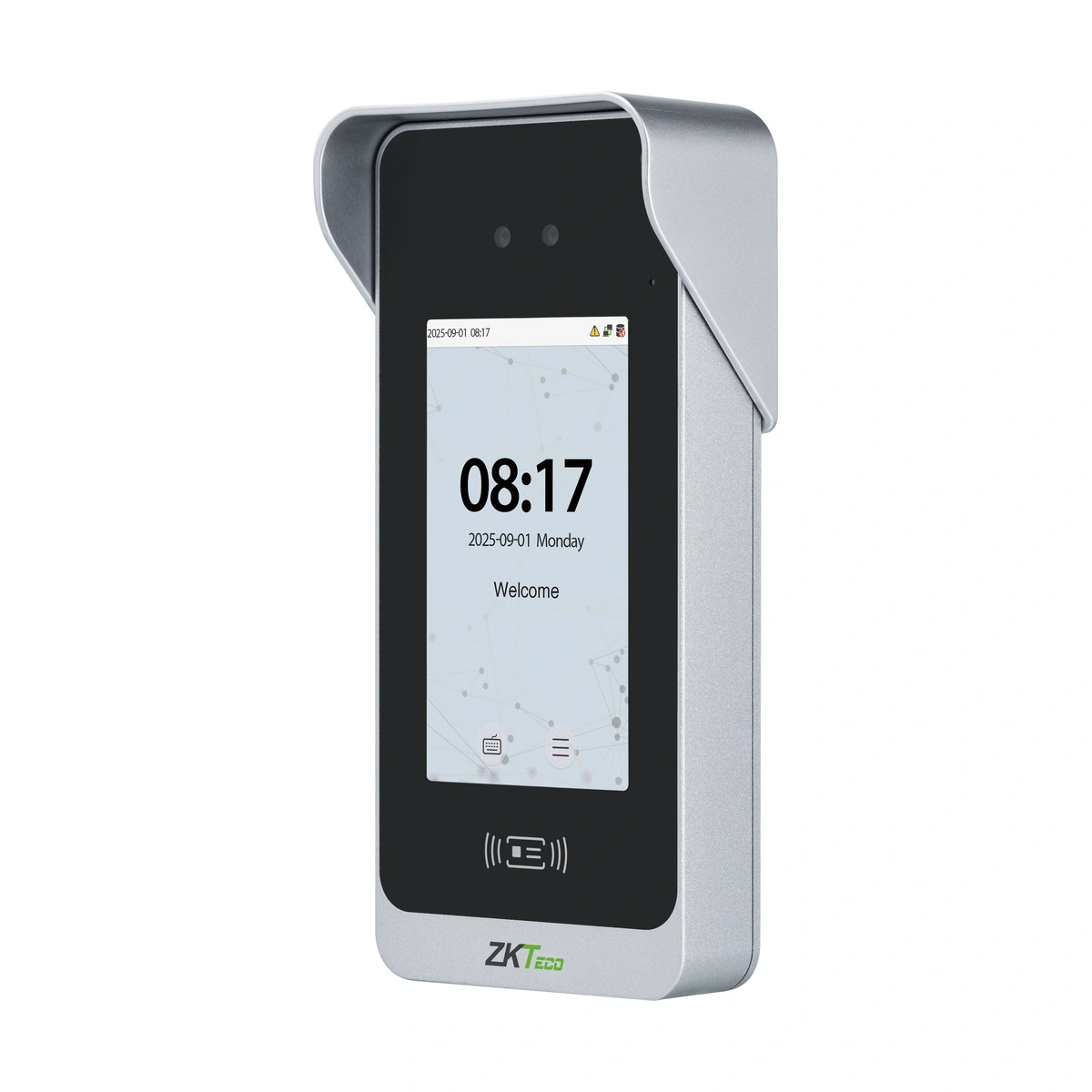
ZKTeco Access Control Terminal SpeedFace M4 — Supplier configuration: SpeedFace M4(ZAM210)
ZKTeco SpeedFace M4 ZAM210 face and card terminal. Review IP66, camera-based QR, optional intercom and the documented palm/Wi-Fi release limitations.
Price on request
Contact us for current availability and lead time.
Request pricing, availability and the right configuration for your project.
Overview
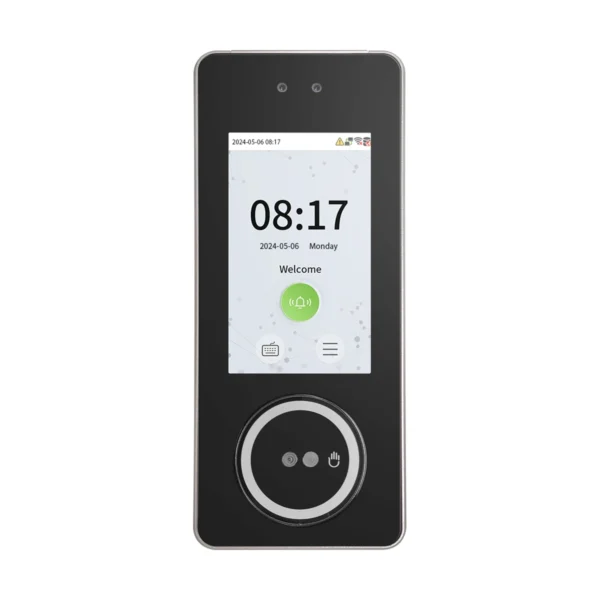
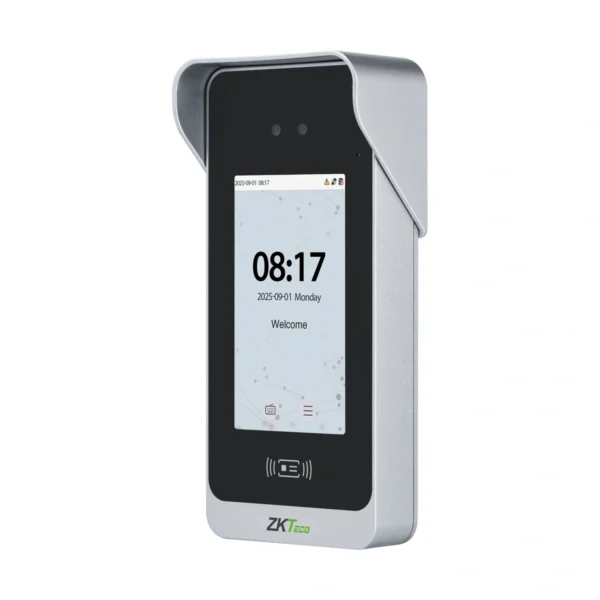
The ZKTeco SpeedFace M4 is a ZAM210 facial, card and password access terminal with a five-inch display and two-megapixel WDR binocular camera. The manufacturer lists dynamic QR credentials through the face camera and ZKBio CVAccess mobile application. This is not a dedicated fingerprint terminal, and its palm option should not be treated as fitted: the September 2025 datasheet labels palm authentication optional and coming soon.
The documented limits are 10,000 faces, 10,000 cards, 10,000 users and 200,000 transactions, with a separate 500,000-event option. These are capacities for different records rather than an aggregate user total. The Linux platform uses a quad-core A53 processor, 1 GB RAM and 8 GB ROM. ZKFace V6.0 and AMTPalmvein V32 are named in the current source, differing from the supplier’s older ZKPalmVein V20.1 wording.
TCP/IP, Wiegand input/output and ZKTeco RS485 support the relevant host and reader arrangement, alongside lock, door-sensor, exit-button, alarm and auxiliary connections. The IP66-rated enclosure measures 212.42 by 103.83 by 50.60 millimetres and supports wall mounting. The current manufacturer pairs CVAccess with access PUSH, ZKBio Time with attendance PUSH and ZKBio Zlink with its cloud arrangement. Match the supplied hardware and firmware to the required credential, networking and intercom options; a dated forthcoming feature does not establish a released option in the supplier’s unit.
Applications & Use Cases
- Reviewing entry-related images: Photo capture, event-photo capture and record query are documented standard functions. They support an image-assisted review of configured access events without treating every event as proof of physical passage through the opening.
Product FAQs
What face distance and matching time are documented?
The manufacturer specifies 40–140 cm facial presentation and a field-test result below 0.1 seconds. The timing is a manufacturer test result for verification, rather than a guarantee of complete door throughput in every installation.
Which cards are standard and which need an optional module?
The exact M4 profile makes 125kHz ID standard. It separately lists 13.56MHz IC, FeliCa and 125 kHz HID Prox options, and an ID/IC/DESFire EV1/EV2 dual-frequency module. HID Prox does not establish HID iCLASS support.
Which indoor monitors match the two documented intercom arrangements?
For ZAM210 only, the manufacturer names VT07-B01/B01-W for private TCP/IP and VT07-B22L/B26L-W for standard SIP. Match firmware, protocol and enabled option; the existence of a five-inch display does not establish compatibility with any indoor monitor.
Is optional Wi-Fi already established for the supplied unit?
The September 2025 datasheet labels2.4/5 GHz Wi-Fi optional and coming soon, whereas the current global page lists it optional without that release qualifier. Confirm the released radio configuration and applicable firmware before relying on wireless networking.
Can any network switch supply the terminal with power?
The documented PoE option is IEEE 802.3at; the ordinary input is 12 V DC, 3 A. Specify the fitted PoE option and matching source. Ethernet data connectivity alone does not establish a powered network-cable installation.
Specifications
| Configuration | Supplier configuration: SpeedFace M4(ZAM210) |
|---|---|
| Display | 5" Touch Screen |
| Model | SpeedFace M4 |
| User Capacity | 10,000 |
| Transaction Capacity | 200,000(Optional:500,000) |
| Manufacturer | ZKTeco |
| Communication | TCP/IP, Wiegand input/output, ZKTeco RS485. Wi-Fi 2.4/5 GHz optional; Sep2025 datasheet also says coming soon. Match released/fitted radio configuration. |
| Standard Functions | ID Card, ADMS, Photo Capture, Event Photo Capture, Up to 14-digit User ID, Access Levels, Groups, Holidays, Anti-Passback, Record Query, Schedule Bell, Tamper Switch Alarm, Automatic Status Switch (Effective only under T&A rules), Multiple Verification Methods, T9 Keyboard (Input), AC Push and TA Push Protocol Switch, HTTPs / SSH Backend Access, Mask Detection, Dynamic QR Code (by camera) |
| Access Control Interface | 3rd-party Electric Lock, Door Sensor, Exit Button, Alarm Output, Aux. Input |
| Power Supply | DC 12V 3A |
| Operating Temperature | -10°C to 50°C |
| Operating Humidity | 10% to 90% |
| Face Capacity | 10,000 (1:N) |
| Palm Capacity | 3,000 optional and coming soon in Sep2025 ZAM210 datasheet; current source names AMTPalmvein V32. Supplier ZKPalmVein V20.1 and released/fitted palm status require confirmation. |
| Memory | 1GB RAM / 8GB Flash |
| Optional Function | ID/IC/Desfire EV1/EV2 , IC, HID, Felica, Power adaptor |
| Webserver, Video Door Phone | Manufacturer options: webserver, SIP2.0 video door phone, ONVIF, Wi-Fi, IEEE 802.3at PoE, SRB and external bell. Exact configuration/firmware and supplied options must match. |
| Protection Level | IP66 |
| Software | ZKBio CVAccess ( (PUSH Protocol) / ZKBio Zlink (BEST Protocol) |
Downloads
Manufacturer documents and Royal Link product sheets. Check the publisher and configuration notes for each file. PDFs open in a new tab.
| Document | Type | Size | Updated / version | Action |
|---|---|---|---|---|
| PDFZK SpeedFace M4 (ZAM210) User Manual 20250926ZKTecoManufacturer family reference; supplied configuration may vary. | User manual | 17.50 MB | — | Download ↗ |
| PDFSpeedFace M4 (ZAM210) — supplier sheet; revision and unsupported option claims require matchingRoyal Link Technologies LtdSupplier catalogue specifications | Product sheet | 161 KB | 2026-10-30 | Download ↗ |
Manufacturer references
Customer reviews
Your experience helps others choose the right solution.
You may also like
Explore more from this product range.
Reviews
No reviews yet
Be the first to share your experience with this product.