
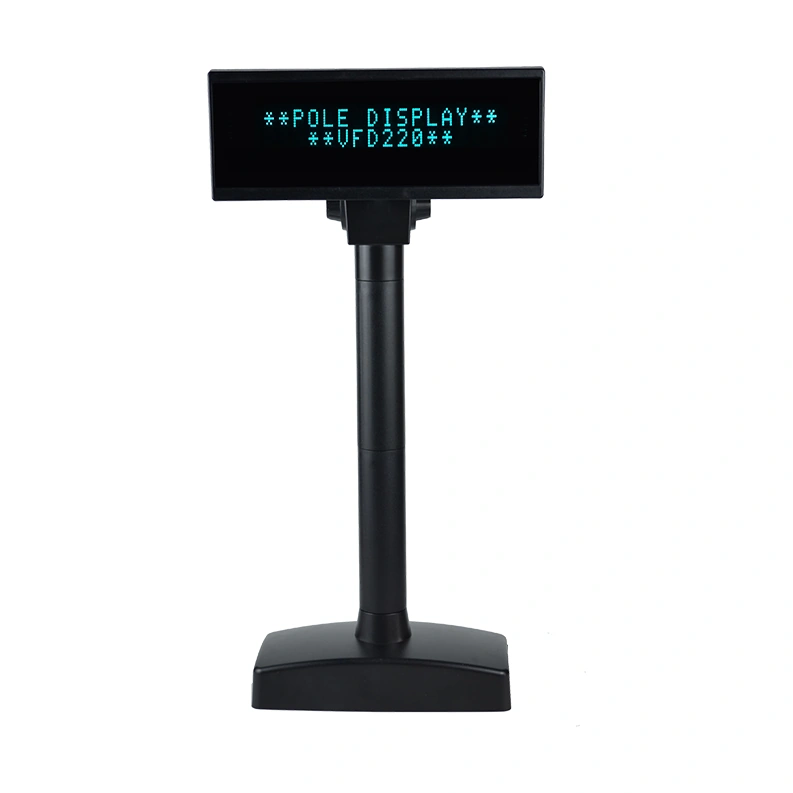
ZKTeco Customer Pole Display ZK-VFD01
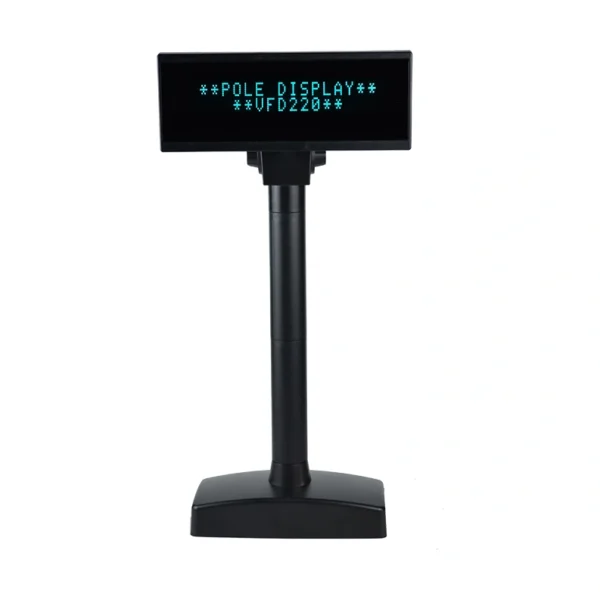
ZKTeco ZK-VFD01 USB two-line customer pole display. Match the POS command mode, character encoding, power and physical viewing arrangement.
Price on request
Contact us for current availability and lead time.
Request pricing, availability and the right configuration for your project.
Overview
The ZKTeco ZK-VFD01 is a vacuum fluorescent customer pole display with a documented USB interface. It presents text from a compatible POS application on two rows of twenty characters. Its pole format provides a separate customer-facing text position while the host application remains responsible for the message or transaction detail.
The shared manufacturer profile specifies a blue-green display, a five-by-seven dot-matrix character font and a 200 cd/m² brightness rating. Each character is listed at 9 by 5.25 millimetres. These details describe the intended text format and physical legibility; the application determines the actual message and its formatting. The source does not establish how every POS application handles text longer than the display’s available rows.
The exact two-model datasheet distinguishes ZK-VFD01 from ZK-VFD02 by interface, so the correct connection is part of selecting the display rather than an interchangeable label. Its panel measures 224 by 85 by 40 millimetres, with a shared listed weight of 1.05 kilograms and a 5 V, 1 A supply requirement. The pole format places the text above the counter while the installation still needs an appropriate viewing position and cable route. Manufacturer-listed frame colours do not establish the colour currently supplied or its availability. Select the physical unit, supported command mode and receiving application together.
Product FAQs
Can this be substituted for the other VFD interface model?
The June 2018 datasheet maps ZK-VFD01 to USB, while ZK-VFD02 uses RS232. The host connection, driver/interface arrangement and application must match; the shared display size does not make the two interfaces interchangeable.
Does a shared ESC/POS name mean an existing receipt-printer setup will drive it automatically?
The display lists ESC/POS, CD5220, DSP800 and UTC command modes. A shared protocol-family name does not establish the exact customer-display commands or application configuration. Match the supported display mode to the POS output.
Can every Unicode language be assumed to display correctly?
The manufacturer lists alphanumeric characters, international character sets and twenty code pages. It does not establish unrestricted Unicode support. Match the required characters and encoding to the selected page and application output.
Can the head be spun continuously around the pole?
The manufacturer specifies a maximum horizontal rotation of 350 degrees. It does not establish unlimited rotation or freedom to twist the cable repeatedly. Use the actual mechanical range when positioning the head.
Will it show a full-colour promotional image or video from the POS?
The source specifies a two-line vacuum fluorescent character display and a dot-matrix character font. It does not establish LCD video, full-colour graphics or a general video input. Choose the display format required by the intended content.
Specifications
| Manufacturer | ZKTeco |
|---|---|
| Model | ZK-VFD01 |
| Configuration | USB |
| Display technology | Vacuum fluorescent display |
| Display mode | 2 lines × 20 characters |
| Interface | USB |
| Display colour | Blue-green |
| Brightness | 200 cd/m² |
| Character size | 9.0 × 5.25 mm |
| Horizontal rotation | Up to 350° |
| Power supply | 5 V DC, 1 A |
| Panel dimensions (W × H × D) | 224 × 85 × 40 mm |
Downloads
Manufacturer documents and Royal Link product sheets. Check the publisher and configuration notes for each file. PDFs open in a new tab.
| Document | Type | Size | Updated / version | Action |
|---|---|---|---|---|
| PDFZK-VFD01 and ZK-VFD02 DatasheetZKTeco | Datasheet | 91 KB | 1.0 — 2018-06-29 | Download ↗ |
Manufacturer references
Customer reviews
Your experience helps others choose the right solution.
You may also like
Explore more from this product range.
Reviews
No reviews yet
Be the first to share your experience with this product.