
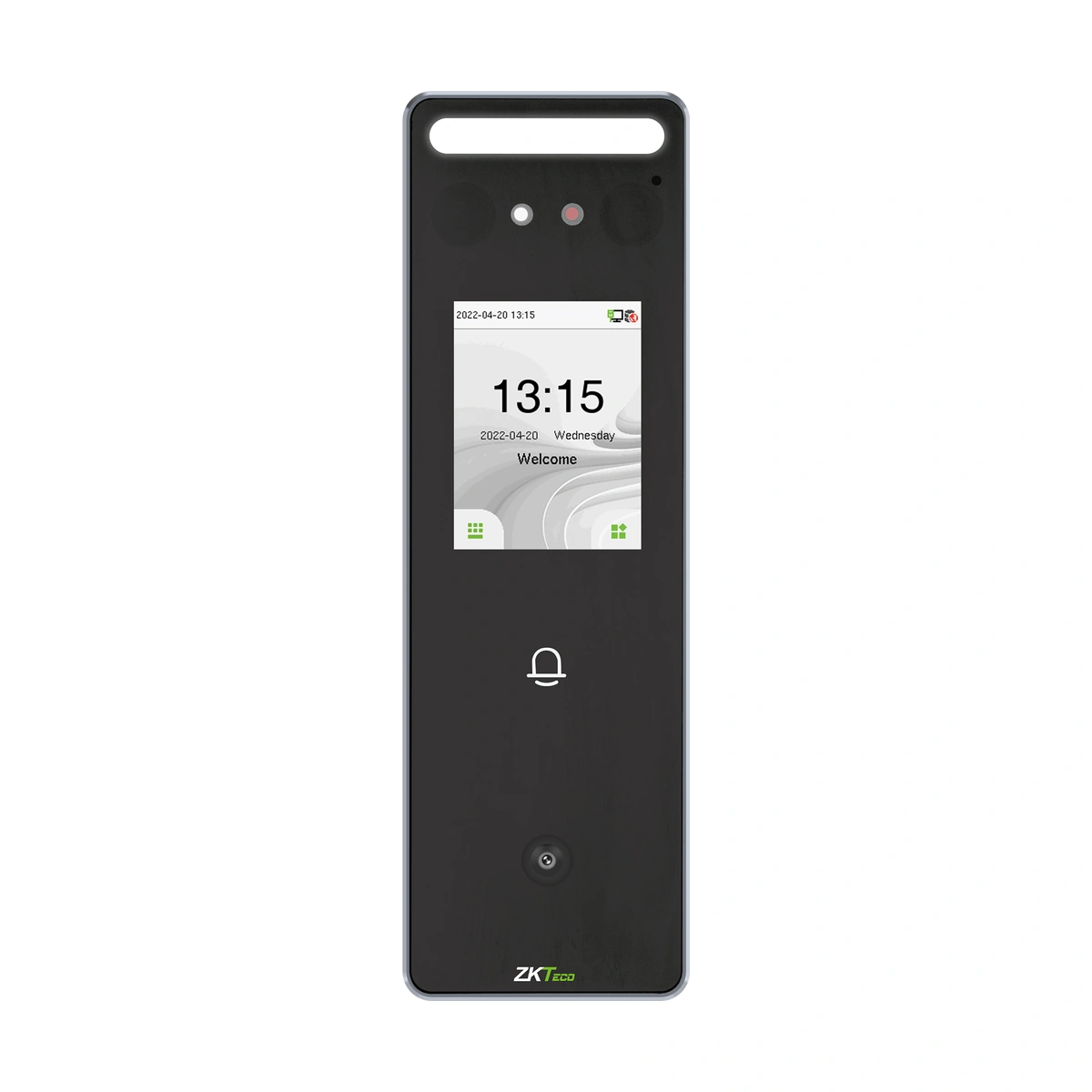
ZKTeco Access Control Terminal SpeedFace-V3L[QR]
ZKTeco SpeedFace-V3L[QR] face and code access terminal. Review QR-specific hardware, optional decoding formats and credential/software compatibility.
Price on request
Contact us for current availability and lead time.
Request pricing, availability and the right configuration for your project.
Overview
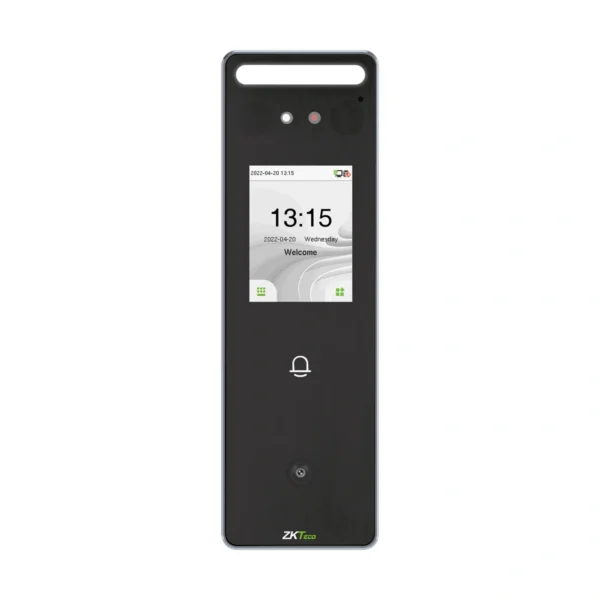
The ZKTeco SpeedFace-V3L[QR] is the dedicated code-reading version of the V3L access terminal. It combines facial verification with an integrated QR/barcode module, alongside the documented card and virtual-keypad password methods. The exact model table does not assign a fingerprint sensor or fingerprint capacity to this variant. That distinction matters when replacing the fingerprint-equipped base V3L.
The family specification gives500 face templates,3,000 cards and 200,000 transactions, with separate higher-capacity options. A2.4-inch touchscreen, one-megapixel binocular camera and adjustable supplementary lighting support the user-facing capture point. The Linux platform uses a 1.2 GHz dual-core processor with 256 MB RAM and 512 MB ROM. Its IP65 enclosure and 185×58.5×20mm dimensions describe the documented wall-mounted terminal rather than a handheld scanning peripheral.
TCP/IP, Wiegand input/output and RS485 support different integration roles. Lock, door-sensor, exit-button, alarm, doorbell and auxiliary connections allow the terminal to form part of a designed access point. The current manufacturer family description names ZKBio CVAccess and ZKBio Zlink mobile/web use through BEST protocol. A scanned code is a credential input to that configured access workflow, rather than proof that every printed text or third-party ticket is authorised. Match the required code credential, receiving software and exact terminal configuration, and resolve the documented lower-temperature discrepancy against the supplied revision before specifying demanding environmental conditions.
Applications & Use Cases
- Code access governed by a site policy: The family’s documented access levels, groups, holidays and anti-passback can govern the entry response after a credential is accepted. Define those rules in the applicable software/terminal arrangement; code decoding and permission to unlock serve different functions.
Product FAQs
Which code formats are standard and which are optional?
The exact QR model column lists QR code and barcode. PDF417, Data Matrix, MicroPDF417 and Aztec are marked optional. Confirm the enabled decoding formats rather than treating every supported option as present.
Which RFID modules can be selected?
The family table lists 125 kHz ID and 13.56 MHz IC as optional modules. Match the actual card technology and module; the integrated QR scanner does not establish universal RFID support.
What face range and optional enrolment limits are documented?
The datasheet lists0.5–2m facial presentation, with optional 1,500 faces and 10,000 cards. These are separate from the standard capacities and from the optical requirements of the QR-reading module.
Does RS485 mean any OSDP reader will work?
The family specification names ZKTeco RS485 and explicitly notes that the port is for RS485 readers. It does not establish OSDP support. Match the exact reader protocol and firmware.
What power and operating-limit distinction needs checking?
The family input is 12 V,3A. The June 2024 datasheet says minus 5 to 45°C, while the current regional web table says plus 5 to 45°C. Identify the applicable supplied revision before relying on the lower endpoint.
Specifications
| Manufacturer | ZKTeco |
|---|---|
| Model | SpeedFace-V3L[QR] |
| Configuration | QR configuration |
| Display | 2.4-inch ISP LCD touch Screen (240*320) |
| Camera | Binocular Camera@ 1MP |
| Operation System | Linux |
| Hardware | 1.2GHz Dual Core CPU 256MB RAM/512MB ROM 1MP Binocular Camera; Adjustable LED Supplement Light |
| Authentication Method | Face, QR/barcode, optional card and password via virtual keypad. No fingerprint sensor/capacity in exact QR model column. |
| Face Template Capacity | 500 (1:N/1:1); optional 1,500 in V2.5 family datasheet. |
| Card Capacity | 3,000 (1:N/1:1); optional 10,000 in V2.5 family datasheet. |
| Transaction Capacity | 200,000 |
| Biometric Verification Speed | Facial recognition: less than 1 second; fingerprint figure applies to base V3L only. |
| Touchless Biometric Recognition Distance | 0.5m to 2m (Facial Recognition) |
| False Acceptance Rate (FAR) % | Visible-light face: FAR≤0.01% in V2.5 datasheet. No QR-model fingerprint claim. |
| False Rejection Rate (FRR) % | Visible-light face: FRR≤0.02% in V2.5 datasheet. No QR-model fingerprint claim. |
| Biometric Algorithm | ZKFace 3.5 for facial recognition. Fingerprint algorithm applies to fingerprint-equipped base V3L. |
| Card Type | ID Card@125 kHz (Optional) IC Card@13.56 MHz (Optional) |
| QR Code | QR code, Bar code, PDF417 (Optional), Data matrix (Optional), MicroPDF417 (Optional), Aztec (Optional) |
| Communication | TCP/IP * 1, Wi-Fi (Optional) , Wiegand Input * 1, Wiegand Output * 1, RS485*: ZKTeco RS485 * 1, Auxiliary Input, Electric Lock * 1, Door Sensor * 1, Exit Button * 1, Alarm * 1, Doorbell * 1, |
| Standard Functions | ADMS, DST, 14 digit User ID , Access Levels, Groups, Holidays, Anti passback, Record Query, Tamper Switch Alarm, Multiple Verification Methods |
| Power Supply | 12V 3A |
| Operating Temperature | June 2024 V2.5 datasheet: −5°C to 45°C; current Middle East web table: +5°C to 45°C. Exact lower limit requires supplied-revision confirmation. |
| Operating Humidity | 10% to 90% RH (Non-condensing) |
| Dimensions | 185*58.5*20mm (L*W*H) |
| Gross Weight | 0.8kg |
| Net Weight | 0.3kg |
| Supported Software | June 2024 datasheet: ZKBio CVAccess, ZSmart, ZKBio Zlink. Current regional page additionally lists BioTime9.5/BioTime Cloud and BEST protocol for Zlink; match firmware and exact integration release. |
| Installation | Wall-mount (Compatible with Single Gang-Box) |
| Ingress Protection Rating | IP65 |
| Certifications | ISO14001, ISO9001, CE, FCC |
Downloads
Manufacturer documents and Royal Link product sheets. Check the publisher and configuration notes for each file. PDFs open in a new tab.
| Document | Type | Size | Updated / version | Action |
|---|---|---|---|---|
| PDFSpeedFace-V3L User Manual 20260618ZKTeco | User manual | 1.83 MB | 2026-06-18 | Download ↗ |
| PDFSpeedFace-V3L Series Datasheet 202406ZKTeco | Datasheet | 2.60 MB | 2024-06-26 | Download ↗ |
Manufacturer references
Customer reviews
Your experience helps others choose the right solution.
You may also like
Explore more from this product range.
Reviews
No reviews yet
Be the first to share your experience with this product.