
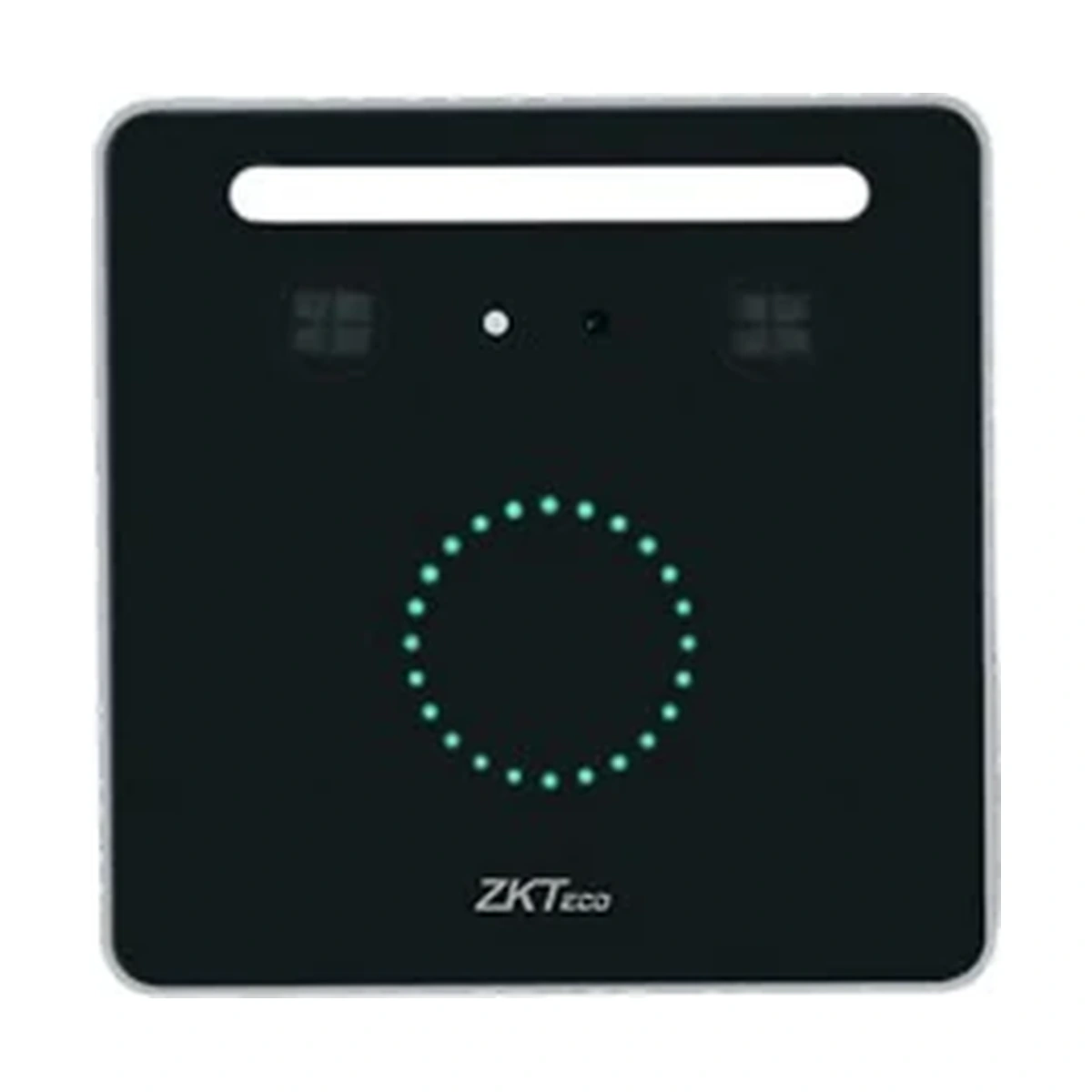
ZKTeco Facial Recognition and RFID Reader KF1100 Pro
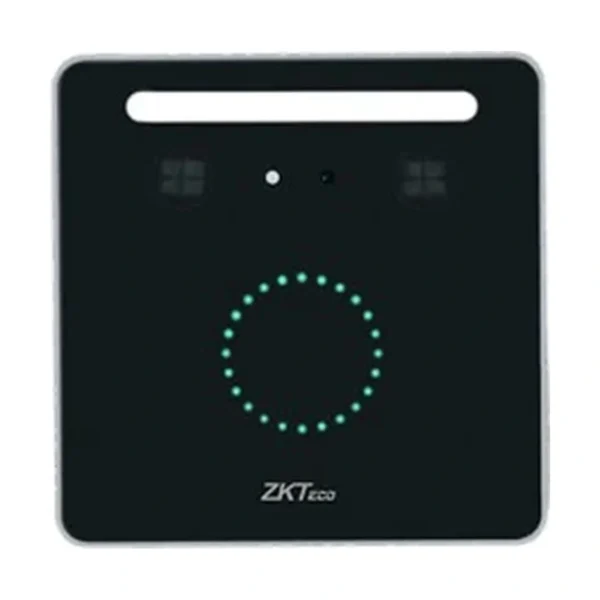
KF1100 Pro visible-light face and RFID reader. Documented inBio Pro Plus reader mode or standalone mode with DM10; IC cards and Wi-Fi are optional. Asian gang box mounting format.
Price on request
Contact us for current availability and lead time.
Request pricing, availability and the right configuration for your project.
Overview
The ZKTeco KF1100 Pro is a visible-light facial-authentication and RFID reader with documented reader and standalone operating arrangements. It is the Pro generation, so its capacities and controller support should not be transferred to the original model without that suffix. Dual 2 MP cameras provide the facial capture hardware, while standard 125 kHz ID-card support offers a separate credential method. A 13.56 MHz IC-card configuration is optional.
In face-reader mode, the device works with an inBio Pro Plus controller: face images are converted into templates for the controller-based authentication arrangement. The documented system figures include 3,000 face templates, 100,000 users/cards and 500,000 transactions stored in the controller. In standalone access mode with a DM10 extension panel, the listed limits are 1,500 faces, 30,000 users/cards and 100,000 transactions. These mode-dependent figures are not interchangeable capacities inside the reader.
The manufacturer identifies ZKBio CVSecurity as the management software and lists TCP/IP alongside the mode-specific ZKTeco RS485 connection. Wi-Fi is optional in the parameter table despite broader wireless wording in the overview. The KF1100 Pro uses a wall-mount format compatible with an Asian gang box, making the mounting footprint a practical distinction between the Pro models. It requires a 12V DC, 3A supply. Select the operating mode, host hardware, card option and mounting arrangement together; compatibility with a controller or extension panel does not establish that either is included.
Applications & Use Cases
- Controller-based facial identification: Use face-reader mode with the documented inBio Pro Plus arrangement when the controller must perform the authentication workflow. Confirm the exact panel, firmware and ZKBio CVSecurity version for the project.
- Standalone door project with DM10: Use the documented standalone mode with the DM10 door-lock extension panel where that operating arrangement fits the installation. Specify the DM10, lock, exit hardware and power components separately.
Product FAQs
Can an original inBio panel be assumed compatible because it has RS485?
No. The Pro documentation specifically identifies inBio Pro Plus for its reader mode. A shared RS485 interface or inBio family name does not prove that an older panel supports this reader and authentication workflow.
Is a mounting position in strong direct light supported by the face specification?
The exact Pro manual specifies facial authentication at 30–50 cm and an operating lighting environment of no more than 2,000 lux at the face. Check actual approach distance and face lighting at the proposed mounting point rather than relying only on the wall-box fit.
Does connecting a DM10 automatically enable its door-control function?
The exact manual requires standalone operating mode and manual enabling of DM10 under the webserver’s serial-port settings. It also specifies DM10 address 1. Match that configuration and the documented wiring before testing the complete door arrangement.
Which mounting box is documented for KF1100 Pro?
The manufacturer identifies an Asian gang box for KF1100 Pro, with dimensions of 91 × 91 × 13.8 mm. Check the existing box and cable clearance against this model rather than using the other Pro model’s footprint.
Does this reader also capture fingerprints or palm templates?
No fingerprint or palm template capability is specified for the Pro reader. Its documented authentication methods are face and card; additional biometric requirements need separately supported hardware.
Specifications
| Manufacturer | ZKTeco |
|---|---|
| Model | KF1100 Pro |
| Camera | Dual Camera @ 2MP |
| Operation System | Linux OS |
| Hardware | CPU: 1.2GHz Dual Core RAM: 256MB; ROM: 512MB |
| Authentication Method | Face / Card |
| Face Template Capacity | Face Reader Mode: 3,000 Store in InBio Pro Plus (Default) A&C Standalone Mode: 1,500 (1:N) (with DM10) (Optional) |
| Card Capacity | Face Reader Mode: 100,000 Store in InBio Pro Plus (Default) A&C Standalone Mode: 30,000 (1:N) (with DM10) (Optional) |
| User Capacity | Face Reader Mode: 100,000 Store in InBio Pro Plus (Default) A&C Standalone Mode: 30,000 (1:N) (with DM10) (Optional) |
| Transaction Capacity | Face Reader Mode: 500,000 Store in InBio Pro Plus (Default) A&C Standalone Mode: 100,000 (1:N) (with DM10) (Optional) |
| Biometric Authentication Speed | less than 0.3 sec (Facial Recognition) |
| Touchless Biometric Authentication Distance | 30cm to 50cm (Facial Recognition) |
| Touchless Biometric Operating Lighting Environment | ≤2,000 lux @ Face |
| False Acceptance Rate (FAR) % | FAR ≤ 0.01% |
| False Rejection Rate (FRR) % | FRR ≤ 0.02% |
| Biometric Algorithm | ZKLiveface 3.5 / 4 |
| Card Type | ID Card @ 125 kHz (Standard) IC Card @ 13.56 MHz (Optional) |
| Communication | Face Reader Mode: ZKTeco RS485*1 A&C Standalone Mode / Face Template Mode: TCP/IP*1 Wi-Fi (IEEE802.11a/g/n) @ 2.4 GHz (Optional) |
| Standard Functions | Face Reader Mode (with InBio Pro Plus) A&C Standalone Mode (with DM10) Face Template Mode (Default) |
| Optional Functions | IC Card@13.56 MHz (Optional) Wi-Fi (IEEE802.11a/g/n) @ 2.4 GHz (Optional) |
| Access Control Interface | A&C Standalone Mode (with DM10) |
| Power Supply | DC 12V 3A |
| Operating Temperature | -10°C to 50°C |
| Operating Humidity | 10% to 90% RH (Non-condensing) |
| Dimensions | 91 × 91 × 13.8 mm |
| Gross Weight | 0.36 Kg |
| Net Weight | 0.27 Kg |
| Supported Software | ZKBio CVSecurity |
| Installation | Wall-mount; compatible with Asian gang box |
| Housing Material | Aluminium Alloy |
| Certifications | ISO14001, ISO9001, CE, FCC, RoHS |
| FactoryID | AC01-VL06H-P17 AC01-VL07H-P17 |
Downloads
Manufacturer documents and Royal Link product sheets. Check the publisher and configuration notes for each file. PDFs open in a new tab.
| Document | Type | Size | Updated / version | Action |
|---|---|---|---|---|
| PDFZK KF1000 Pro Series UM 20240905ZKTeco | User manual | 4.35 MB | 2024-09-05 | Download ↗ |
Manufacturer references
Customer reviews
Your experience helps others choose the right solution.
You may also like
Explore more from this product range.
Reviews
No reviews yet
Be the first to share your experience with this product.