
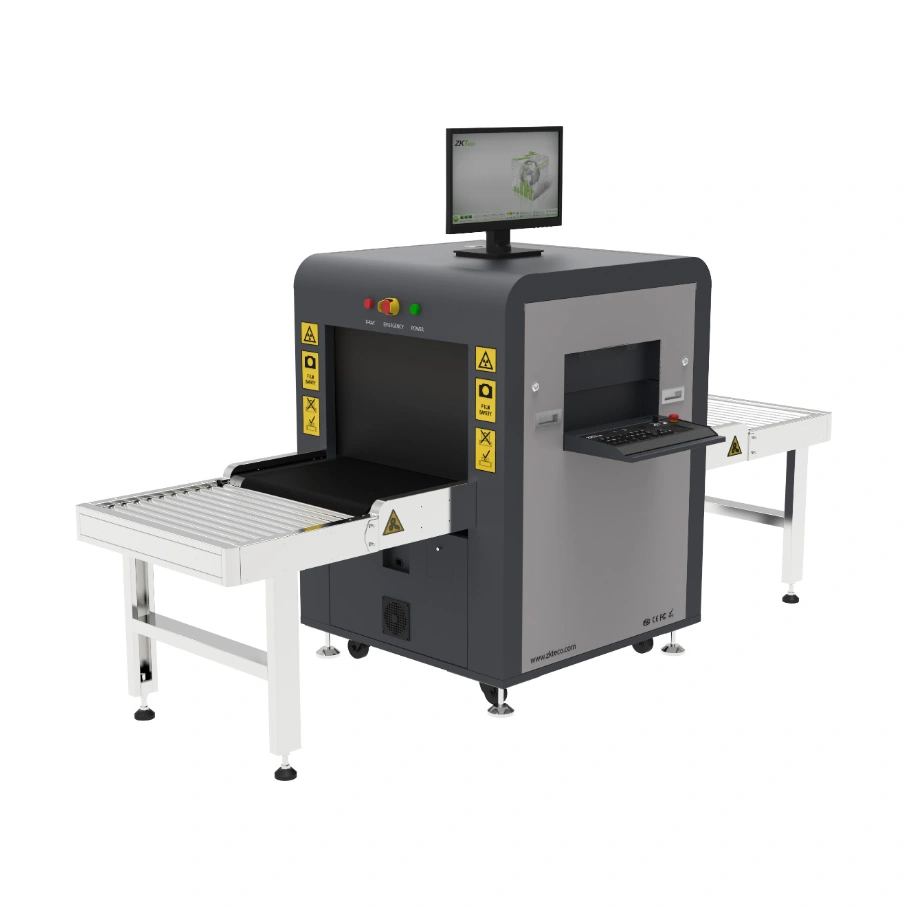
ZKTeco X-ray Baggage Scanner ZKX6040 P3D
ZKX6040 P3D dual-energy conveyor X-ray inspection system. Manufacturer opening figures differ; usable clearance requires confirmation.
Price on request
Contact us for current availability and lead time.
Request pricing, availability and the right configuration for your project.
Overview
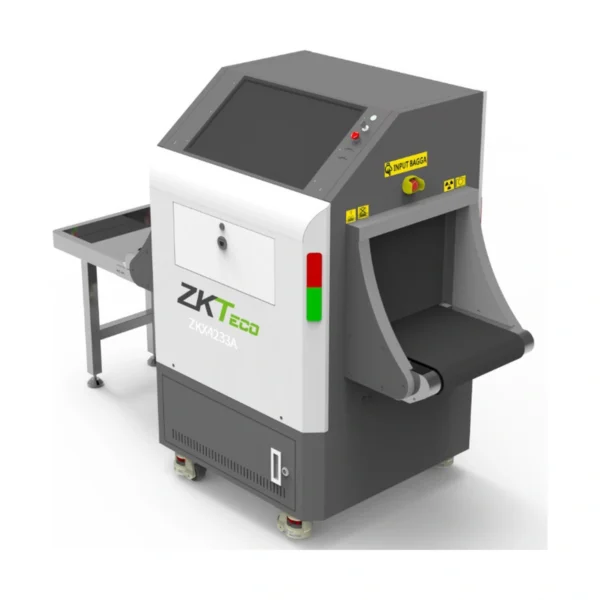
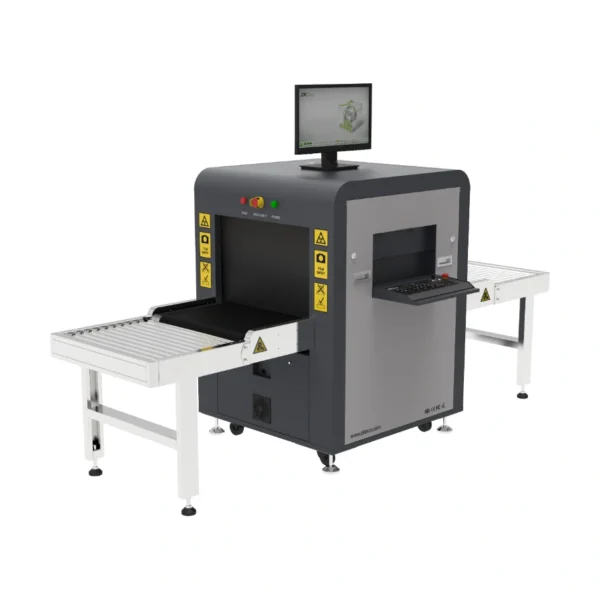
The ZKTeco ZKX6040 P3D is a conveyor X-ray inspection system for reviewing the contents of briefcases, carry-on baggage and small parcels. The manufacturer overview gives a 600 × 400 mm opening, while its parameter table lists 608 × 405 mm; usable clearance needs to be resolved for the supplied configuration. It combines dual-energy X-ray inspection with camera-based passenger and baggage correlation. The P3D name should be read alongside the documented imaging arrangement rather than used as a substitute for it.
The conveyor speed is specified at 0.20 metres per second, with a maximum evenly distributed load of 180 kg and a belt height of 680 mm. Those figures help plan item presentation and handling at the checkpoint. The load allowance does not override the tunnel dimensions, and belt speed alone does not define the number of completed inspections per minute. The item size, spacing and operator review remain part of the working arrangement.
The parameter table lists a Windows 10 computer, a 21.5-inch display and a 2TB drive. Image and video capture, record retrieval and biometric-data linkage are documented capabilities of the configured system. Its 700W power figure and the complete machine footprint need to be considered with the site layout. Hardware capability does not establish the software entitlement, integration work or commissioning services supplied with a quotation.
Applications & Use Cases
- Retrospective baggage-image review: The applicable ZKX6040 P3D system manual provides image enquiry and replay for older scans. An authorised review workflow can use the stored images and scan-time identifiers to revisit an inspection; retention and export permissions must be configured for the actual installation.
Product FAQs
Does P3D identify a CT or multi-view X-ray scanner?
The manufacturer describes 3D perspective technology and a dual-camera passenger/baggage system, but its X-ray parameter table explicitly says single-view. Those camera and perspective functions do not establish computed tomography or multiple X-ray projection views.
Can exported scan images be reviewed without ZKXScanner software?
The manufacturer’s applicable system manual distinguishes BMP/JPG exports from ZKX files. BMP and JPG are ordinary image formats for external review, while ZKX files require ZKXScanner software. Choose the export format according to the receiving review system and its access permissions.
Can operators practise image interpretation using stored scans?
The applicable system manual documents a training mode using selected scanned-image files. Its simulated conveyor controls do not move the physical conveyor in that mode. This is a software training function; it does not establish an included operator-training service or certification.
Can a supervisor review which operator was logged in during a shift?
The system manual documents session logs with each operator’s start and end times, alongside separate startup and X-ray-use logs. Use the configured individual accounts and administrative permissions for that review. These operating logs should not be mistaken for automatic identification of every baggage owner.
Does the network connection establish a complete ZKBio SIS installation?
The ZKX6040 P3D documentation identifies ZKBio SIS support and RJ45/TCP/IP. A connection specification does not establish a supplied platform licence, server, integration or commissioning service. Identify the applicable software version and required project components in the quotation.
Specifications
| Manufacturer | ZKTeco |
|---|---|
| Model | ZKX6040 P3D |
| Conveyor Speed | 0.2m / sec |
| Tunnel Dimensions (W*H) | 600 × 400 mm in overview; 608 × 405 mm in parameter table. Usable clearance requires manufacturer confirmation. |
| Conveyor Load | 180 kg (evenly distributed) |
| Conveyor Height | 680 mm |
| Dual-energy Detector | Yes |
| Single-view | Yes |
| Radiation Leak Dosage | Manufacturer parameter: 0.3 μGy/h at 5 cm from surface; not converted to other models’ μSv/h test figures. |
| Supported Software | ZKBio SIS |
| Communication Iinterface | RJ45 (TCP/IP) |
| Dimension (L*W*H) | 1701 * 910 * 1305 (mm) |
| Package Dimensions (L*W*H) | 2200 * 1200 * 1450 (mm) |
| Package Weight | 480 kg |
| Weight | 380 kg |
| Certifications | CE |
| Operating Temperature | -10℃ to +45℃ |
| Storage Temperature | -20℃ to +60℃ |
| Humidity | 5 to 95% non-condensing |
| Power Supply | 220 VAC +/- 10% 50-60Hz 110 VAC +/- 10% 50-60Hz |
| Power Consumption | 700W |
| Noise | ≤55dB |
| Number of Colors in X-ray Image | 4 |
| Anode Voltage | 80-160 kV (adjustable) |
| Tube Current | 0.3-1.0mA (adjustable) |
| Orientation | Vertically upward |
| Generator Cooling | Sealed oil bath with forced air / 100% |
| Steel Penetration | 36 mm |
| Wire Resolution | 34 AWG |
| Space Definition | Horizontal Φ1.0mm / Vertical Φ2.0mm |
| Penetrate Definition | 32 AWG |
| X-ray Film Safety | ASA / ISO 1600 standard of film safety |
| X-ray converter type | L-shaped dector line |
| Operating System | Windows 10 |
| Processor | Intel quad-core i5-4570 3.6GHz |
| Monitor | 21.5'' Color LED Screen (1920*1080P) |
| RAM | 8GB DDR4 |
| Hard Drive | 2TB HDD |
| Additional Functions | Real-time passenger-baggage correlation; automated image/video capture; biometric-data linkage; inspection-record retrieval. Published storage example up to 100,000 images; exact configured capacity and interfaces to be confirmed. |
Downloads
Manufacturer documents and Royal Link product sheets. Check the publisher and configuration notes for each file. PDFs open in a new tab.
| Document | Type | Size | Updated / version | Action |
|---|---|---|---|---|
| PDFX-Ray Inspection System User Manual v3.6ZKTeco | User manual | 4.60 MB | 2025-02 | Download ↗ |
Manufacturer references
Customer reviews
Your experience helps others choose the right solution.
You may also like
Explore more from this product range.
Reviews
No reviews yet
Be the first to share your experience with this product.